14 Nano Banana Pro Prompts Every Architect, Interior Designer & ArchViz Artist Should Use
Below are 14 production-grade prompts I actually use in architectural visualization and interior design workflows.
15 Jan 2026
Instruction: How to Use These Prompts
This guide is a text instruction for the video.
You can use these prompts as a base.
These are the same examples I use in my real professional work.
Please follow these rules to get the best results:
1. Always add your own context
The prompt is only a starting point.
You must describe:
what the project is
what you want to change
what result you want
More context = better result.
2. Always label your reference images
When using two images:
Call your main scene “the first image”
Call the reference you want to copy from “the second image”
Example:
Take the first image and replace the chair with the chair from the second image.
This tells the AI exactly what to keep and what to change.
3. Always define people clearly
When adding people, always describe:
age (for example: 25–35 years old)
mood (relaxed, confident, calm, happy, etc.)
If you don’t do this, the AI often generates people that look too serious or sad.
Mood control gives you better lifestyle renders.
Use these rules together with the prompts to get clean, realistic, professional results for architecture, interior design, and ArchViz.
PART 1 — Run in Google AI Studio (Prompts 1–9)
For accuracy, realism, lighting control, and client-ready output
These prompts need:
exact camera matching
true photorealism
predictable results
That’s why they belong in Google AI Studio.
PROMPTS
1. Improving Renders
Prompt:
Create a photorealistic architectural photograph of the uploaded building while keeping the exact structure, proportions, and camera angle. Replace all CGI elements with real-world materials and physically accurate lighting. Render the scene in bright midday sunlight under a clear blue sky with natural shadows, realistic reflections, and true photographic detail so it looks like a real photo instead of a 3D render.
Generating concepts
Prompt:A cinematic, photorealistic modern glass house cantilevered over a rocky ocean cliff, with large floor-to-ceiling windows revealing a warm minimalist interior featuring a sofa, armchairs, a floor lamp, and soft ambient lighting. The house overlooks a dramatic misty coastline with waves crashing below and layered cliffs fading into atmospheric fog. The scene is lit by a golden-hour sunset sky with soft pastel clouds and moody coastal lighting, composed in an ultra-wide architectural view. Render in a high-end luxury ArchViz style with global illumination, natural reflections on glass, sharp focus, 4K ultra-detailed realistic materials, subtle depth of field, and a calm cinematic atmosphere in Apple-style architectural photography.
Viewpor Render
Prompt:
Generate a photorealistic interior from the first image (3ds Max viewport) while keeping the geometry, camera angle, and proportions exactly the same. Apply the interior design style, furniture, materials, colors, and lighting entirely from the second reference image. Render with realistic global illumination, natural daylight, soft shadows, accurate reflections, clean modern finishes, balanced exposure, subtle depth of field, and a high-end architectural visualization look.
Changing Materials ( From Reference )
Prompt:
Edit the first reference image while keeping the building shape, proportions, camera angle, and environment exactly the same. Replace the entire exterior facade with the dark green vertical wood cladding from the second reference image, matching its color, texture, plank spacing, reflectivity, and realism. Preserve all windows, openings, lighting, shadows, vegetation, water, and surroundings from the first image. Render with photorealistic materials, correct scale, natural weathering, soft global illumination, and a high-end architectural visualization look.
Socail Media Adaptation
Prompt:
Reframe and extend this image into a vertical 9:16 composition while keeping the building, camera perspective, and scale consistent. Intelligently expand the sky, trees, ground, and surrounding environment to fill the vertical frame. Do not crop or distort the architecture. Preserve all materials, lighting, and realism, and maintain a cinematic architectural photography look with natural depth, balanced composition, and photorealistic quality.
Adding Angles
Prompt:
Transform this building into a bird’s-eye Dubai architectural render while keeping the same building design, materials, and proportions. Change the camera to a high-angle aerial view looking down at the facade and site. Add a Dubai urban environment with palm trees, wide roads, luxury cars, and modern low-rise surroundings. Use bright, warm desert daylight with soft atmospheric haze and long realistic shadows. Render with high-end photorealistic lighting, sharp architectural detail, and a premium Dubai real-estate visualization look.
Adding People
Prompt:
Edit this image by adding a realistic, elegant woman swimming in the pool, partially submerged in the water with natural ripples and reflections around her. Match the lighting, shadows, and perspective of the scene. Keep all architecture, furniture, people, and the environment unchanged. Ensure correct scale, realistic skin tones, soft water caustics, and a high-end luxury resort atmosphere with photorealistic quality.
Adding people ( From Reference )
Prompt:
Edit the first reference image while keeping everything exactly the same, including all architecture, furniture, lighting, people, shadows, reflections, and the environment. Add the same woman from the second reference image into the pool, keeping her pose and body position. Match her scale, perspective, and lighting to the pool scene, and integrate her naturally into the water with realistic ripples, reflections, and refraction. Use seamless photorealistic blending and a high-end luxury resort look.
PART 2 — Run in Project Dream (Pulze) (Prompts 10–14)
For fast creative iteration, mood, and lifestyle content
These prompts benefit from:
fast generation
UI-based iteration
artistic flexibility
Improving Renders V2
Prompt:
Generate a realistic photograph from this image while keeping the structure exactly the same. Render it under bright midday lighting with a clear blue sky.
Mood / Light Transfering
Prompt:
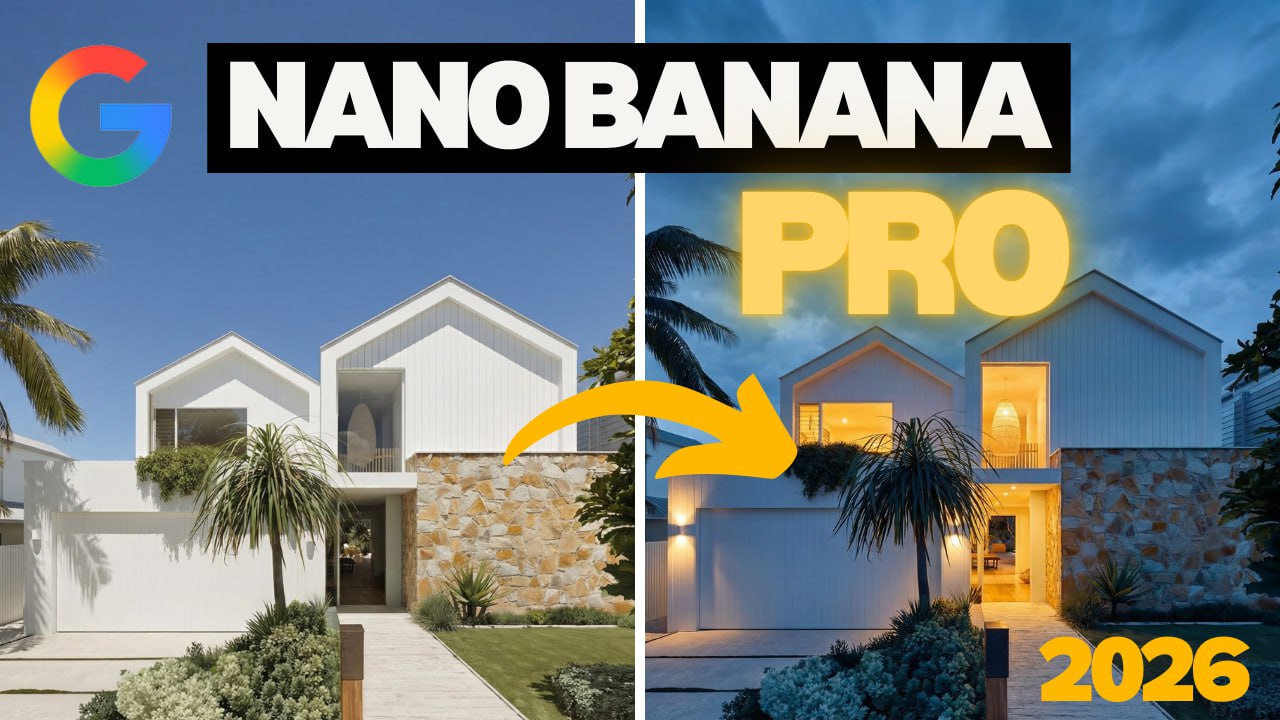
Create a photorealistic architectural photograph using the first image as the structural and compositional reference. Keep the exact building shape, proportions, and camera angle from the first scene, but apply the lighting, mood, and atmosphere from the second image. Replace the daylight with a dramatic blue-hour sky, moody clouds, and warm interior glow. Add realistic reflections on glass, soft glowing interior light spilling onto surfaces, deep blue ambient sky light, and cinematic contrast so the result looks like a real high-end architectural photograph shot at dusk rather than a 3D render.
Editing Objects V2
Prompt:
Create a photorealistic architectural photograph using the first image as the main structural and camera reference. Remove the swimming pool and replace it with the landscaped rock garden from the second image, keeping the terrace, building, perspective, and composition unchanged. Insert natural boulders, gravel, shrubs, bonsai trees, and planter elements in the exact area where the pool was. Light the entire scene with consistent, realistic daylight so the result looks like a real luxury villa photographed on location rather than a 3D render or AI image.
Editing Objects V2
Prompt:
Create a photorealistic interior photograph using the first image as the scene and camera reference. Remove the existing lounge chair and replace it with the designer armchair from the second image, keeping the room, lighting, perspective, and composition unchanged. Match the fabric texture, wood tone, scale, and shadows of the new chair so it looks naturally placed in the space, as if it were originally photographed there.
Adding People V2
Prompt:
Add an adult fashion model sitting naturally on the lounge chair in the scene, styled like a Zara 2025 campaign with elegant, minimal clothing in neutral tones and a relaxed, confident pose. Keep the interior, furniture, lighting, and camera angle unchanged. Match the daylight, shadows, fabric textures, and natural skin tones so the person looks realistically photographed inside the space rather than added later.
Adding people V2 ( From Reference )
Prompt:
Create a photorealistic interior photograph using the first image as the room, furniture, and camera reference. Place the woman from the second image sitting naturally on the sofa in the first scene, keeping her pose, hairstyle, facial features, and black outfit exactly the same. Match the room’s lighting, shadows, scale, and perspective so she looks realistically photographed inside the interior rather than composited. Include accurate fabric interaction with the sofa, natural contact shadows, and true-to-life skin tones for seamless realism.
Bonus
Kling AI Construction Timelapse Prompt
A cinematic architectural timelapse of a modern residential building built from empty land to completion. Begin with site preparation and foundations, then show reinforced concrete columns and slabs rising floor by floor, cranes and scaffolding working, the structural frame forming, followed by walls and glazing, then facade cladding, balconies and details, and finally roofing, landscaping and finished exterior. Use smooth timelapse motion, realistic materials, natural daylight progression and a clean cinematic developer style.